Motocross Adventure Mountain Trails Mobile Controls on Mountain Trails
Touch throttle, virtual stick, shift HUD, camera, and heat—ride clean on phone.
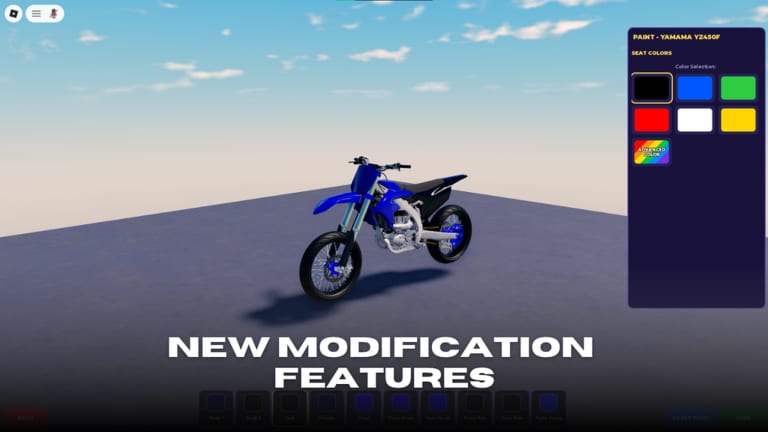
Motocross Adventure: Mountain Trails is popular on phones as well as PC. Touch throttle, a virtual stick, and on-screen shift buttons make steep dirt rideable—but they also amplify the same pain points players already report: greedy power, late gear changes, and balance collapses on climbs. This page is the mobile-first companion to the main Controls guide. It covers the HUD layout mindset, throttle discipline with thumbs, virtual stick habits, shift-button placement, camera frustration, battery and heat, and when a Bluetooth controller is worth the switch.
Always verify binds in-game. Roblox and experience settings can rearrange mobile buttons after patches. Labels differ by device size and UI scale. Nothing below invents a fixed official key list—treat it as practice advice you confirm against your live HUD. Pair this with Getting Started, Balance Tips, Hill Climbs, and Trails.
How the mobile HUD usually feels
Most Roblox vehicle experiences put drive inputs on the lower half of the screen: a left-side virtual stick or directional pad for steer, and right-side throttle / brake clusters. Gear up and gear down often appear as discrete HUD buttons near the throttle thumb. Camera orbit may sit as a drag zone on empty screen space or as a secondary stick. Your Motocross Adventure client is the authority—open help or settings, skim every labeled control, and resize UI if the game allows so thumbs are not covering the crest you need to see.
On a small phone, the trail preview shrinks. That makes line reading harder on knife-edge climbs. Lower graphics clutter if options exist, hide chat when practicing alone, and tilt the device so the horizon stays readable. If a Big Update rearranges the HUD, re-scout buttons before your first steep attempt—see Updates and the Big Update notes.
Touch throttle discipline
Full throttle is the number-one mobile crash pattern. A thumb that rests on max power cannot micro-modulate the way a trigger can. Treat throttle as a series of measured presses and holds, not a parked finger.
Climb habit: approach in a low gear, feed short pulses, and lift the moment the front lightens or the rear spins. Flat habit: you can hold longer, but still release before blind crests. Recovery habit: after a tip, remount and leave with light taps—never mash throttle into the rock that just beat you.
If your HUD offers analog-style throttle (drag distance or pressure zones), practice half-travel on flat dirt until you can hold a steady idle-to-pull without jumping to max. Progressive power keeps weight usable for Balance Tips corrections.
Virtual stick and steering
Virtual sticks drift. Thumbs sweat. Accidental yaw mid-climb tips bikes that were otherwise fine. Keep stick travel small on steep faces; save big steering arcs for flats and berms you already scouted on Trails. Look ahead, steer early, and avoid yanking left-right while the suspension is compressed on a rock.
Center the stick consciously between inputs. If the game supports stick deadzone or sensitivity in settings, tune until tiny corrections feel possible without wild snaps. Practice a straight-line drill on flat dirt for two minutes every session before you touch a grade.
Shift buttons on phone
Manual gears remain a skill wall on mobile because shift buttons compete with throttle real estate. Common community pattern: downshift before the grade steepens; upshift once the slope eases. On phone that means planning the shift before your throttle thumb is glued to max.
- Spot the climb early so you can tap gear down while still upright.
- Avoid shifting mid-tip or mid-air—settle the bike first.
- If you bog (lots of throttle, little climb), you are likely too tall—downshift and retry with softer power.
- If every tap wheelies, try a slightly higher gear or lighter throttle.
Confirm which HUD icons are gear up versus gear down in settings. Do not invent binds from memory after a patch. For climb-specific gear timing, continue on Hill Climbs.
Camera issues on touch
Camera fights are a mobile specialty. Dragging to look often steals the same thumb you need for stick or throttle. Habits that help:
- Set a default riding camera angle on flat ground before the climb.
- Prefer small look adjustments between features, not mid-rock corrections.
- If a second stick exists for look, keep drive stick and look stick roles consistent so muscle memory sticks.
- After a crash, reset camera before remounting into traffic.
When the camera clips into a hillside, stop advancing, re-orbit to a clear trail view, then continue. Blind throttle into clipped camera is how tip chains start in 20-player lobbies—see etiquette notes on the Players hub if you share landings.
Battery, heat, and performance
Long climb sessions heat phones. Thermal throttling drops frame rate right when you need precise stick micro-corrections. Practical mitigations:
- Lower graphics / effects if the experience or Roblox client exposes them.
- Remove a thick case during long practice if heat spikes.
- Keep brightness only as high as trail reading requires.
- Take short breaks between hard Hill Climbs attempts.
- Charge between sessions rather than racing at 5% battery with low-power mode surprises.
Laggy input feels like “bad physics.” Before you blame the bike, check temperature and network. Then re-test on flat dirt.
When to switch to a controller
Touch is enough for exploration and mild trails. Consider a paired controller when:
- You are serious about podium lines and need analog throttle.
- Shift buttons keep colliding with your throttle thumb.
- Camera drag constantly steals drive inputs.
- Heat makes on-screen accuracy worse mid-session.
Controller still requires verifying binds in settings. Soft trigger pressure trains progressive throttle faster for many riders. Keep mobile skills sharp for quick sessions; use controller for deliberate practice blocks logged on the Practice Checklist.
Mobile practice drills (fifteen minutes)
- Flat throttle pulses: ten clean start-stop cycles without spinning.
- Stick center: ride a painted or mental straight line for sixty seconds.
- Shift rehearsal: on mild slope, downshift before grade, upshift on exit, three clean laps.
- Camera reset: intentionally mess the view, recover to trail-forward, then climb.
- Abort drill: start a climb, lift throttle early, roll back safely, remount calm.
- Heat check: if frames stutter, stop and cool before a steep face.
Log which failure repeats—throttle, stick, shift, or camera—and revisit that family next time. Cross-check bad habits on Common Mistakes once that page is in your rotation. Ignore fake Codes lists while you train; there are no verified active codes as of late November 2026.
Honesty checklist before you blame touch controls
- Did you re-read HUD labels after the latest update?
- Was throttle pulsed or pinned?
- Did you downshift before the steep section?
- Was the camera clear before you committed?
- Is the phone hot or the network unstable?
Fix those before you assume mobile is “impossible.” Motocross Adventure rewards smooth systems play on every device: power, steer, gear, balance, and vision working together on mountain dirt. Start gentle, verify binds, and graduate climbs only when thumbs feel boringly consistent.
Frequently Asked Questions
Quick answers for Motocross Adventure: Mountain Trails riders.
What are the exact mobile buttons for Motocross Adventure?
Exact HUD labels and positions are shown in-game via on-screen prompts, help, or settings and can change after updates. Always verify on your device instead of trusting a static wiki-only list.
Why do I tip more on phone than on PC?
Touch throttle is easy to pin at maximum, virtual sticks drift, and the camera competes for the same thumbs. Use pulsed throttle, small steer inputs, and clear the view before steep grades.
How should I shift gears on mobile?
Plan downshifts before the climb while you are still stable, then upshift when the slope eases. Confirm which HUD icons are gear up and gear down in settings before hard faces.
When should I use a controller instead of touch?
Switch when you need analog throttle for podium lines, when shift and throttle thumbs collide, or when heat and camera drag ruin precision. Re-verify controller binds in settings after pairing.
Does phone heat really affect climbing?
Yes. Thermal throttling can drop frame rate and make micro-corrections late. Lower graphics, cool the device, and pause hard climbs if input feels sticky.