Motocross Adventure Mountain Trails Controls Deep Dive
Throttle, gears, lean, and recovery—read prompts, then ride smooth.
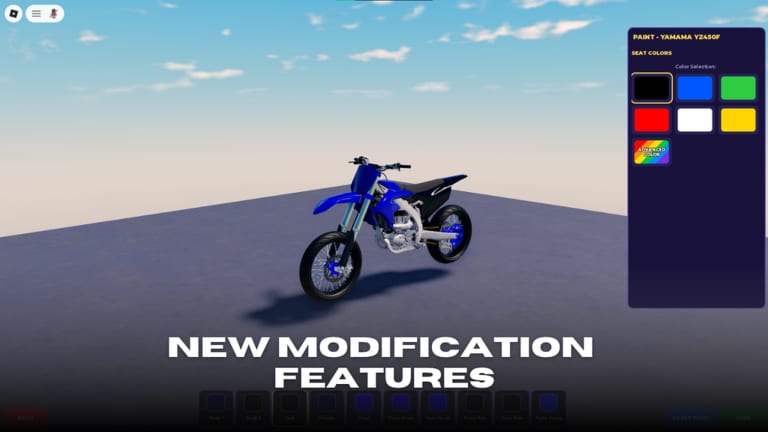
Motocross Adventure: Mountain Trails asks you to manage a dirt bike on steep mountain terrain with realistic-but-fun physics. Throttle, steering, braking, gear changes, and balance all stack together. Players frequently mention manual gear shifting as a major early challenge. This page explains what each control family does and how to practice it across PC, mobile, and controller—without inventing official key lists that the developer has not locked into a public manual.
Always verify binds in-game. Open on-screen prompts, the help overlay if present, and Roblox or experience settings for your device. Labels can differ by platform and can change after updates. Treat community patterns below as common Roblox vehicle and dirt-bike habits, not as a substitute for what your client shows today. Pair this page with Getting Started, Balance Tips, and Hill Climbs.
Control families that matter on mountain trails
Throttle
Throttle adds power and shifts weight rearward. On dirt and steep grades, progressive input beats a pinned trigger or key. Full throttle from a standstill on a climb often spins the rear or lifts the front until you tip. Feed power as traction allows; ease off the moment the bike unsettles. On flats you can be braver; on knife-edge climbs you should think in short pulses and holds, not constant maximum.
On keyboard, players commonly use a forward movement key as throttle in Roblox vehicle games. On controllers, a trigger often maps to throttle for analog feel. On mobile, on-screen throttle buttons or virtual sticks appear—press measured taps rather than holding max through every bump. Confirm the exact control in settings before you blame the bike.
Steering
Steering aims the front wheel and sets your line. Small inputs on loose dirt keep the bike planted; large sudden yaws mid-climb are a classic tip-over trigger. Look where you want to go, steer early for corners and switchbacks, and avoid yanking the bars while the suspension is compressed on a rock or crest.
Keyboard players often steer with lateral movement keys; controllers use a stick; mobile uses a thumb stick or directional pad. Whatever your device, practice holding a straight line on flat dirt before you try tight mountain singletrack.
Braking
Braking sheds speed and shifts weight forward. That forward load helps the front bite for slowdowns before a corner or before a technical section—but grabbing too much brake on a steep downhill or mid-lean can pitch you over the bars or wash the front. Brake earlier than you think on mountain trails, preferably while the bike is mostly upright, then release into the turn or climb approach.
If your layout separates front and rear brake, learn which input does what via the in-game prompts. Many Roblox dirt-bike setups combine braking into one primary control for accessibility; do not assume a PC racing-sim layout unless your help screen shows it.
Gear up and gear down
Manual gears are a headline skill wall for this experience according to player reports. Lower gears give stronger drive for starts, steep climbs, and slow technical crawling. Higher gears suit flats, gentle descents, and carrying speed between features. Shift before the bike is unsettled—changing gear mid-tip or mid-air rarely helps.
Practical pattern many riders use: downshift before the grade steepens; upshift once the slope eases and the engine is screaming without moving you forward faster. If you bog (bike barely climbs despite throttle), you are likely too tall. If every tap of throttle wheelies or spins, try a slightly higher gear or softer throttle—or both.
Exact gear-up and gear-down keys or buttons vary. Players commonly bind shifts to nearby keys or bumper-style buttons on controllers so thumbs stay on steer. On mobile, look for dedicated shift buttons on the HUD. Check settings; do not guess mid-climb.
Balance, lean, and rider attitude
Mountain trails punish riders who only think about throttle and steer. Balance and lean controls—when present—let you bias weight left/right or fore/aft to keep both wheels useful. Even when lean is subtle, the physics still react to slope and momentum: tip slowly at first, then faster if you ignore it.
Practice deliberate micro-corrections. If the bike starts falling left on a climb, a small corrective input early beats a huge panic input late. See Balance Tips for drills. If your help screen lists lean, wheelie, or rider-position binds, learn them on flat ground first.
Mount, dismount, and recover after a crash
Crashes happen. After a tip-over, stop mashing throttle. Remount using the interact prompt, confirm you are upright on a safe patch, select a sensible gear, and roll away with light throttle. If the bike is wedged against a rock or hanging on a cliff edge, dismount if the game allows, reposition on foot if possible, or reset from a safer spawn approach rather than forcing a doomed remount.
Players in Roblox vehicle games commonly look for interact keys near E/F-style binds and a reset or pick-up control—but your Motocross Adventure client is the authority. Open help after each major Updates patch in case recovery flow changed.
PC, mobile, and controller notes
PC (keyboard / mouse): Expect discrete keys for throttle, brake, steer, and shifts. Mouse may only aim the camera. Turn on any on-screen control hints while learning. Remap in settings if default shift keys fight your camera habits.
Controller: Analog throttle and steer usually feel best for dirt. Put gear up/down on buttons you can hit without releasing the stick. Soft trigger pressure trains progressive throttle faster than keyboard on/off for many riders.
Mobile: HUD buttons compete with your thumbs. Lower graphics or UI clutter if the experience allows, so trail reads stay clear. Use short throttle presses on climbs; holding max on a phone is the fastest way to tip on a steep face.
Practice drill (ten minutes)
- Flat ground: throttle on/off smoothly without spinning.
- Flat ground: brake to a stop without pitching forward.
- Gentle slope: climb in a low gear with partial throttle.
- Same slope: abort halfway, brake or roll back safely, remount if you tip.
- Mild corner: brake before turn-in, light throttle on exit.
- Intentional tip on flat dirt: recover calmly three times.
Log what felt wrong—gear, throttle, or lean—and revisit that family next session with the Practice Checklist. For route choice while you train inputs, use Trails. When climbs become the focus, move to Hill Climbs.
Honesty checklist before you blame the physics
- Did you confirm binds in settings today?
- Were you in a climb gear before the steep section?
- Was throttle progressive or pinned?
- Did you brake upright before the technical bit?
- Did you attempt a recovery while still sliding into a worse angle?
Fix those before you assume the bike is broken. Motocross Adventure rewards riders who treat controls as a system: power, direction, speed, gear, and balance working together on mountain dirt.
Frequently Asked Questions
Quick answers for Motocross Adventure: Mountain Trails riders.
What are the exact keyboard controls?
Exact keys are shown in-game via on-screen prompts, help, or settings and can differ by device or update. Use those sources instead of a static wiki-only list.
Do I need to shift gears manually?
Players commonly report manual gear shifting as a core challenge. Lower gears help climbs and slow sections; higher gears suit flats. Confirm shift controls in your settings and practice before steep faces.
Is a controller better than keyboard?
Many riders prefer a controller for analog throttle and steering on dirt, but keyboard and mobile both work if you learn progressive inputs. Pick the device you can practice on consistently.
How do I recover after tipping over?
Stop forcing throttle, remount with the interact prompt when safe, choose a sensible gear, and leave with light throttle. If the bike is stuck in a bad spot, reposition or retry from safer ground.
Where should I practice new binds?
Flat dirt near spawn, then a mild slope. Save steep Hill Climbs until throttle, brake, and gears feel automatic. Use Getting Started for the day-one flow.